Billing & plans
Simple and predictable: 30 free days with everything on, then one monthly plan sized to your team.
The free trial
Every new organization gets 30 days free — full features, no card. The pill at the top of the screen counts down the days for administrators and links straight to Billing. Add a card and pick a plan any time during the trial; nothing is charged until you press subscribe.
Subscribing
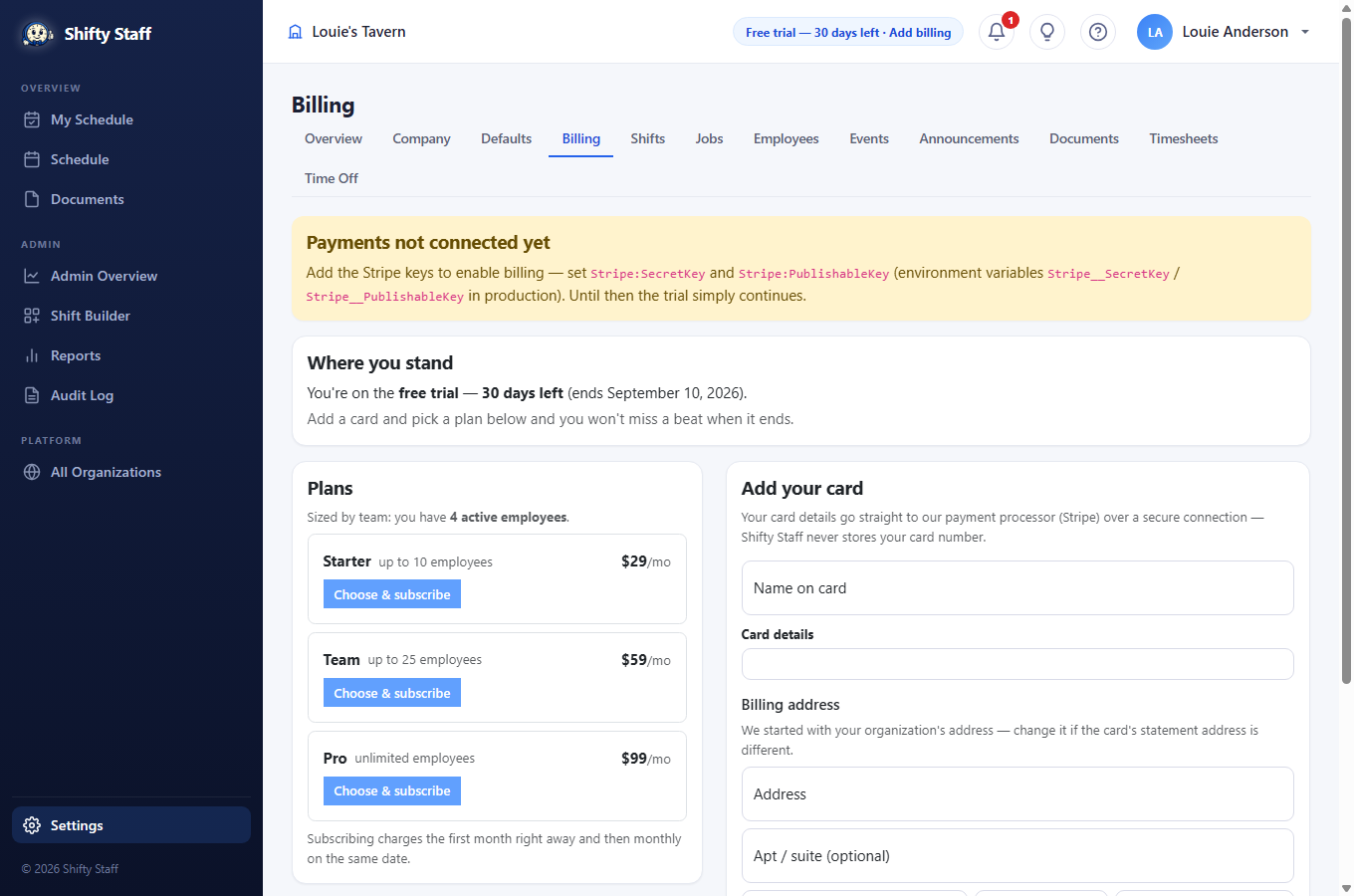
- Save your card. The form is right on the page; the card number travels straight to our payment processor (Stripe) over a secure connection and is never stored by Selfie Shifts. The billing address starts pre-filled with your organization's address — change it if the card's statement address differs.
- Pick a plan. Plans are sized by how many people work for you; ones too small for your current team are grayed out. Press Choose & subscribe — the first month is charged right away, then monthly on the same date.
Receipts
Every charge lands in the receipts table with a Download button — a clean, numbered receipt that opens in any browser and prints nicely for your bookkeeper. It shows the amount, the service period, and the card used.
Changing things
- Team grew? Switch plans any time — the new price starts at your next billing date, never a surprise mid-month charge.
- Card declined? A red notice appears for admins; save a fresh card and the charge retries automatically once a day.
- Cancelling stops future charges immediately. Your data stays, and you can re-subscribe whenever.
More than one location
Extra organizations are a paid-customer feature: subscribe your existing location(s) first, then Settings → Add an organization. New locations skip the free trial — right after creating one you pick a plan sized to its team (with a few days of grace to get set up). Each location has its own plan, card, and receipts, so per-location bookkeeping stays clean.