Your staff
Everything about the people who work for you lives under Settings → Employees.
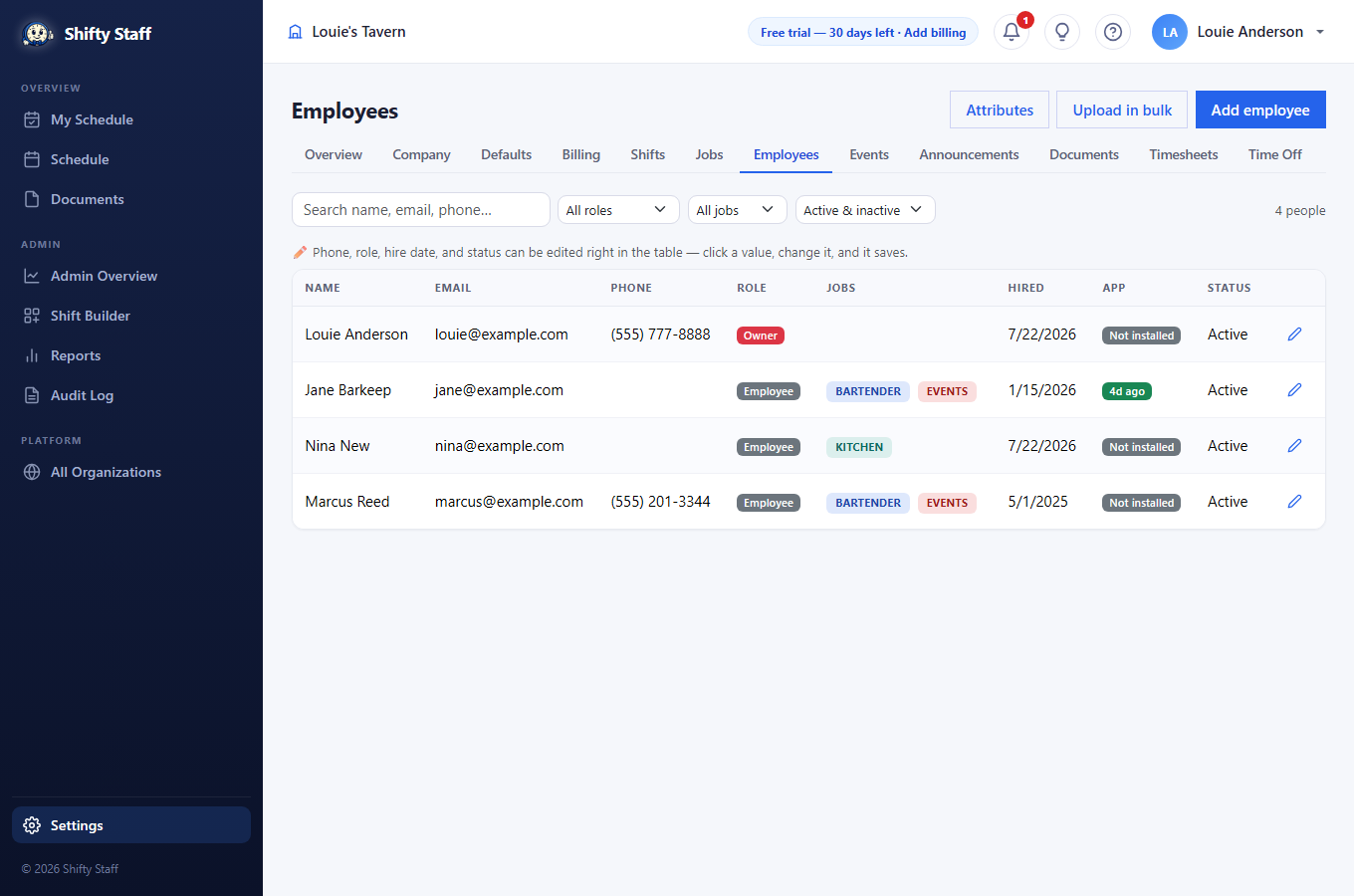
Finding and fixing things fast
Type in the search box to filter by name, email, or phone as you type; the dropdowns narrow by role, job, or active/inactive. And the table itself is editable: click a phone, role, hire date, or status value, change it, and it saves on the spot — a date picker for dates, a dropdown for roles, a phone keypad on mobile. Press the pencil for anything deeper.
Adding people
- One at a time: press Add employee. Email and SSN come first because the site checks them as you type — if the person already has a Selfie Shifts account anywhere, their details fill in automatically and saving simply links them to your organization with their existing login. No duplicate accounts, ever.
- A whole roster: press Upload in bulk, download the Excel template (your job names are listed inside it), fill one row per person, and upload. New people get accounts and invite emails; existing people get linked untouched; problem rows come back to you with the row number and reason, and re-uploading after fixes is safe.
Roles — who can do what
- Owner — the account that registered; full control, can't be demoted.
- Administrator — full control: schedule, settings, employees, billing.
- Employee — works shifts, sees the schedule, manages their own time off and preferences. No settings or reports.
- View only — can look at everything relevant to them but takes no actions; you do their scheduling for them.
Each person's page
The pencil opens their full page:
- Contact, address, and SSN (only a secure fingerprint of the SSN is stored — never the number).
- Jobs they can work, their hire date, and their role.
- Hourly wage (admins only — powers the labor-cost meter) and Payroll ID (what your payroll system calls them; it rides along on timesheet exports).
- Custom attributes you define under Employees → Attributes — bartending license numbers with expiration dates, food-handler cards, anything. Expiring ones remind the employee ahead of time.
- Their scheduling preferences, read-only: what they told the site about when they can't work and what they'd rather avoid — so you see it before you schedule, not after.
- Employee snapshot (admins only): the last 90 days at a glance — shifts and hours worked, how often they raised their hand for extra work, gave shifts away, traded, plus lates and no-shows. A conversation starter, not a verdict.
- Private notes (admins only): dated notes only administrators ever see.
- Password reset: issues a one-time temporary password to hand them.
The App column on the staff list shows who actually uses the mobile app — "today", "2d ago", or "Not installed". People without the app still get email and text messages, but the app is the best experience; nudge the "Not installed" folks.